Running Nx Jest in Jetbrains IDE
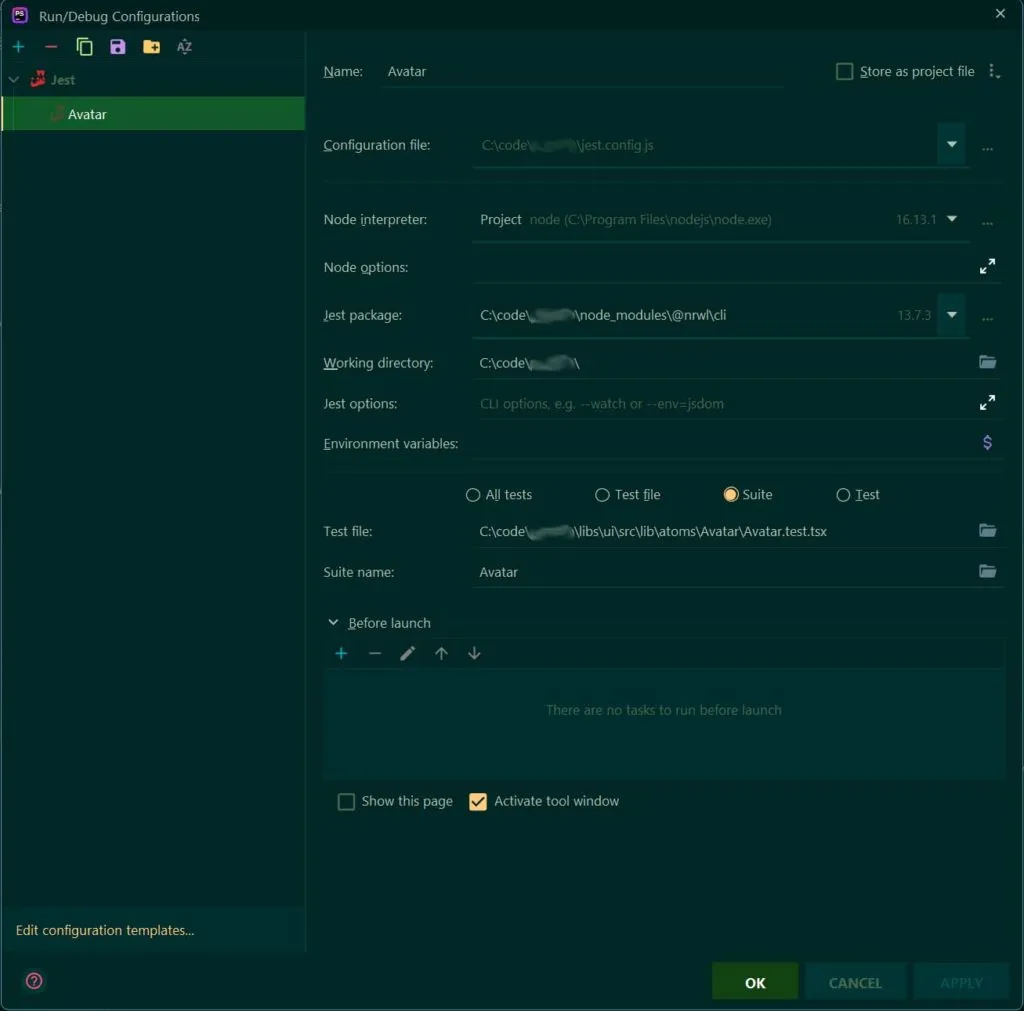
Here is how you have to configure Jetbrains IDE to make Jest work within a NX workspace. When I say “work” I mean to make it possible that Jetbrains UI is used to visually indicate failed and succeeded tests instead of a console.
NX module import in Jetbrains IDE
One thing that annoyed me was that Jetbrains auto-imports TypeScript modules like this by default:
import { Something } from "@myorg/mylib".This is kind of bad and it will even throw a warning such as this one:
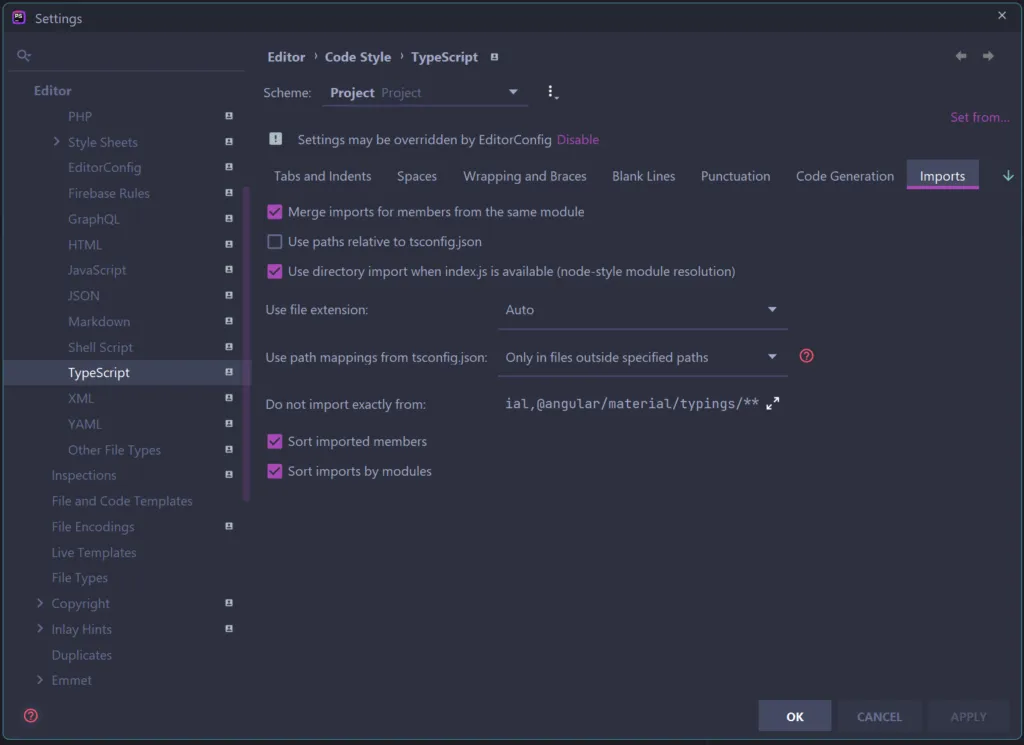
ESLint: Projects should use relative imports to import from other files within the same project. Use "./path/to/file" instead of import from "@myorg/mylib"(@nrwl/nx/enforce-module-boundaries)Luckily there is a setting that lets you change the default auto-import behavior. Navigate to Editor > Code Style > TypeScript and set “Use path mapping from tsconfig.json” to “Only in files outside specified paths”, now the IDE will use relative imports when you are inside a package and scoped-imports otherwise. Neat!